Preserving old software as something you can still touch
The most elegant technology transitions are the ones users barely notice.
By rights, changing CPU architecture should be traumatic. Old binaries stop making sense. Assumptions about memory, graphics, timing, files, and hardware turn into historical baggage overnight. Developers have to port. Users have to wait. Software that worked yesterday risks becoming archaeology tomorrow.
And yet one of the quiet miracles of the Macintosh is that Apple kept moving the ground under the platform while preserving the feeling that the Mac was still the Mac (Apple Computer, Inc., 1994; Apple Computer, Inc., 2005; Apple Inc., 2020).
It started on Motorola 68k. Then came PowerPC, then Intel, then Apple silicon. Each jump could have split the Mac into disconnected eras. Instead, Apple treated compatibility as a design problem. The architecture changed. The user’s relationship with their software survived (Apple Inc., 2009; Apple Inc., n.d.-a; Apple Inc., n.d.-b).
Systemless is inspired by that idea, pointed the other way. Apple used translation to carry people forward. I am building Systemless to carry old software back into the present.
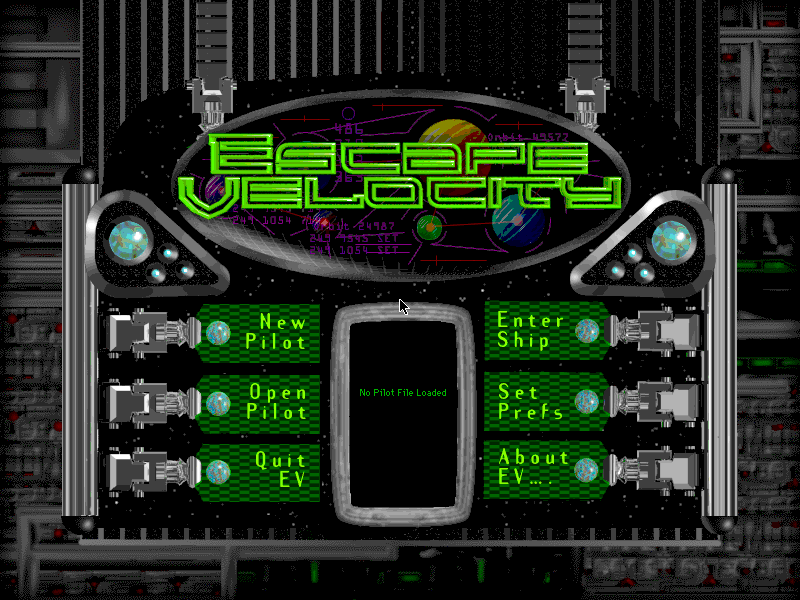
Preserved is not the same as alive
A lot of old software is technically preserved but not actually reachable (Library of Congress, 2013; UNESCO, 2003).
It survives as a disk image, a StuffIt archive, a screenshot, a video, or a memory. With enough patience you can reconstruct the right emulator, find the right ROM, install the right System version, mount the right image, set the right display mode, and eventually coax the thing into running.
For historians and retrocomputing specialists, that ritual is part of the craft. For almost everyone else, it is friction (Kirschenbaum, 2008; Meyerson et al., 2017).
That matters because software is not just code. Software is behaviour: timing, sound, layout, input, constraint, surprise. A classic Macintosh game is no more captured by a screenshot than a film is captured by its poster. Old software deserves to be played, not merely catalogued.
A runtime, not a museum machine
Systemless is a high-level runtime for classic 68k Macintosh applications and games, written in Rust.
The goal is simple to state and hard to do: run original Macintosh software on modern systems with no Mac ROM, no full classic Mac OS install, and no full hardware emulation.
Traditional emulators recreate the machine. Systemless recreates the contract. When old software calls into the Macintosh Toolbox, it is asking for services (Apple Computer, Inc., 1992):
- Draw this.
- Load that resource.
- Open this window.
- Play this sound.
- Handle this event.
- Allocate this memory.
- Read this fork.
- Dispatch this trap.
Systemless implements enough of those old contracts directly in Rust for real software to run. That means interpreting 68k code, handling classic Mac OS A-line traps, and modelling the runtime surfaces interactive software expects: memory, resources, segments, files, drawing, events, windows, menus, dialogs, sound, and the small details in between.
At a very high level, the shape is something like this. The 68k interpreter steps through guest instructions until it sees an A-line opcode. Instead of jumping into a Macintosh ROM, Systemless decodes the trap and implements the Toolbox contract in Rust:
fn step(cpu: &mut Cpu, system: &mut Systemless) -> Result<()> {
    let opcode = system.memory.read_u16(cpu.pc())?;

    if opcode & 0xf000 == 0xa000 {
        cpu.advance_pc(2);
        return system.dispatch_trap(Trap::from_opcode(opcode), cpu);
    }

    cpu.execute_68k_instruction(opcode, &mut system.memory)
}

impl Systemless {
    fn dispatch_trap(&mut self, trap: Trap, cpu: &mut Cpu) -> Result<()> {
        match trap {
            Trap::TickCount => {
                cpu.d0 = self.clock.ticks_since_boot();
            }
            Trap::GetResource { kind, id } => {
                let handle = self.resources.load(kind, id, &mut self.memory)?;
                cpu.a0 = handle.address();
            }
            Trap::DrawString { text_ptr } => {
                let text = self.memory.read_pascal_string(text_ptr)?;
                self.quickdraw.draw_string(&text)?;
            }
            Trap::Unknown(opcode) => {
                return Err(Error::UnimplementedTrap(opcode));
            }
        }

        Ok(())
    }
}
The real runtime has much more bookkeeping around registers, memory handles, Pascal calling conventions, resource maps, and drawing state. But the central idea is that a ROM routine becomes an explicit Rust function with the same guest-visible behaviour.
It is not trying to be a perfect hardware museum. Cycle-accurate emulation is important, and full emulators will always matter (Kaltman et al., 2025). Systemless aims at a different layer: the guest-visible behaviour that makes the software feel alive.
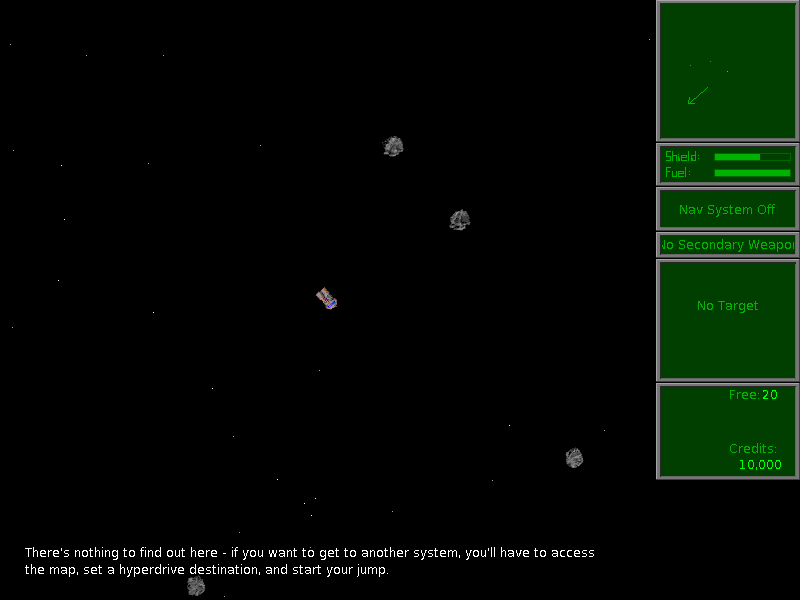
The browser is the new beige box
The obvious comparison is Rosetta, but the direction is reversed. Rosetta made old binaries legible to new Macs so users could move forward (Apple Inc., n.d.-a). Systemless makes old Macintosh software legible to the modern web so the past can move forward with us.
That is why Systemless.org is a playable catalog, not just a demo page. A browser tab is shareable. It works across operating systems. It can run on a classroom computer, a museum kiosk, a phone, or a personal website. If old Mac software can reach the browser, it can reach almost anyone.
Mobile makes the translation question sharper. A game that expected arrow keys, space, tab, mouse input, and a menu bar should still be treated as that game. Touch controls belong around the artifact, not inside it. The platform changes; the software’s identity is protected.
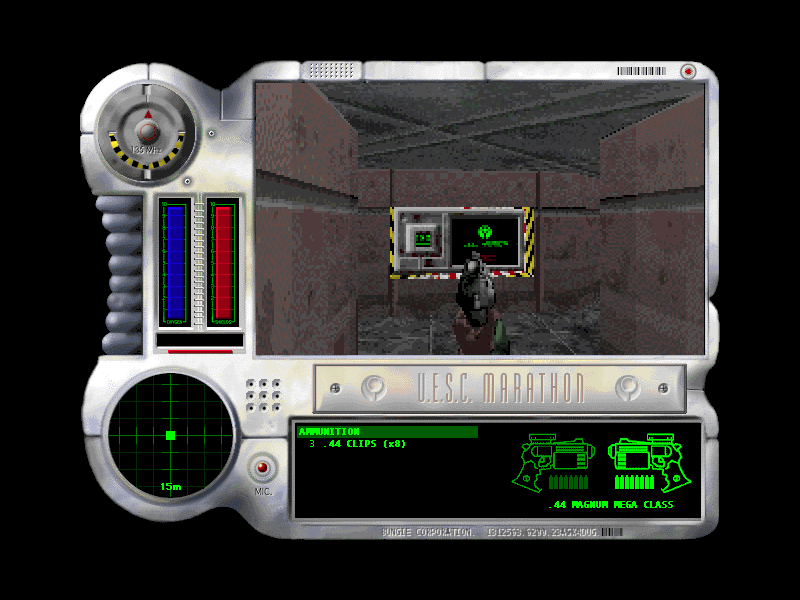
Preservation has boundaries
There is an important line here. Systemless is a runtime. It does not ship commercial games, applications, Mac ROMs, or Apple system software. The goal is playable preservation, not repackaging other people’s work without permission.
Old software deserves a future, but that future has to be built carefully. The runtime can be open, inspectable, and useful. The software that runs inside it should be sourced legally, preserved responsibly, and treated with respect.
Why it matters
Nostalgia is part of this, but nostalgia alone is not enough.
Classic Mac software teaches things modern software often hides. You can see the economy of memory, the clarity of small interfaces, the personality that emerged from limited colour, resolution, storage, and CPU time. The constraints are visible, and that makes the work worth studying.
Students should be able to open these programs. Designers should be able to feel how they move. Engineers should be able to inspect the assumptions they were built on. Players should be able to enjoy them without first earning a degree in retrocomputing.
A screenshot can show what something looked like. A runtime can show what it was.
Systemless is still early. It is not perfect, it is not finished, and it will not cover every strange edge case of the classic Macintosh world. But it already proves the important thing: real 68k Macintosh software can run through a modern Rust runtime, render in a browser, take input, and be shared.
Apple showed that software can survive an architecture change when the transition is treated as a first-class design problem. Systemless tries to honour that lesson backwards: not to move yesterday’s users onto tomorrow’s hardware, but to move yesterday’s software into tomorrow’s memory (Apple Computer, Inc., 1994; Apple Inc., 2009; Apple Inc., 2020).
Get involved
Systemless is open source at github.com/benletchford/systemless. If you care about old Mac software, Rust runtimes, preservation, or the small historical details hidden in old applications, contributions are welcome. Compatibility reports, catalog notes, archival leads, bug reports, tests, and careful pull requests all help the runtime learn more of the Macintosh contract.
Systemless is an independent preservation project and is not affiliated with Apple Inc.
References
Apple Computer, Inc. (1992). Inside Macintosh: Macintosh Toolbox Essentials. Addison-Wesley. https://developer.apple.com/library/archive/documentation/mac/pdf/MacintoshToolboxEssentials.pdf
Apple Computer, Inc. (1994). Introduction to PowerPC system software. In Inside Macintosh: PowerPC system software. https://developer.apple.com/library/archive/documentation/mac/pdf/PPC_System_Software/Intro_to_PowerPC.pdf
Apple Computer, Inc. (2005, June 6). Apple to use Intel microprocessors beginning in 2006. Apple Newsroom. https://www.apple.com/newsroom/2005/06/06Apple-to-Use-Intel-Microprocessors-Beginning-in-2006/
Apple Inc. (2009). Universal Binary Programming Guidelines, Second Edition. Apple Developer Documentation Archive. https://leopard-adc.pepas.com/documentation/MacOSX/Conceptual/universal_binary/universal_binary_intro/universal_binary_intro.html
Apple Inc. (2020, June 22). Apple announces Mac transition to Apple silicon. Apple Newsroom. https://www.apple.com/newsroom/2020/06/apple-announces-mac-transition-to-apple-silicon/
Apple Inc. (n.d.-a). About the Rosetta translation environment. Apple Developer Documentation. Retrieved June 28, 2026, from https://developer.apple.com/documentation/apple-silicon/about-the-rosetta-translation-environment
Apple Inc. (n.d.-b). Building a universal macOS binary. Apple Developer Documentation. Retrieved June 28, 2026, from https://developer.apple.com/documentation/apple-silicon/building-a-universal-macos-binary
Kaltman, E., Schwaid-Lindner, W., Jonathan, D., Borman, A., Garnett, A., & Masinter, L. (2025). An overview of emulation as a preservation method. Council on Library and Information Resources. https://www.clir.org/pubs/reports/an-overview-of-emulation-as-a-preservation-method/
Kirschenbaum, M. G. (2008). Mechanisms: New media and the forensic imagination. MIT Press.
Library of Congress. (2013). Preserving.exe: Toward a national strategy for software preservation. National Digital Information Infrastructure and Preservation Program. https://digitalpreservation.gov/documents/PreservingEXE_final.pdf
Meyerson, J., Vowell, Z., Hagenmaier, W., Leventhal, A., Rios, F., Roke, E. R., & Walsh, T. (2017). The Software Preservation Network (SPN): A community effort to ensure long term access to digital cultural heritage. D-Lib Magazine, 23(5/6). https://doi.org/10.1045/may2017-meyerson
UNESCO. (2003). Charter on the preservation of the digital heritage. https://www.unesco.org/en/legal-affairs/charter-preservation-digital-heritage
Citation
To cite this essay:
Letchford, B. (2026, June 28). Systemless: Translating the Macintosh Backwards. benletchford.com. https://benletchford.com/writing/systemless-translating-the-macintosh-backwards/
@misc{letchford2026systemless,
  author = {Letchford, Ben},
  title = {Systemless: Translating the Macintosh Backwards},
  year = {2026},
  month = jun,
  url = {https://benletchford.com/writing/systemless-translating-the-macintosh-backwards/}
}